
20 Home Office Setup Ideas That Boost Your Productivity
Introduction
A good home office is not about buying the most furniture. It is about a desk that fits your body, light that helps your eyes, and a layout that lets you start work without clearing a pile first. These home office setup ideas focus on comfort, focus, and a calm look you will enjoy seeing every morning.
Start with the basics that protect your body. Set your screen so the top is at or slightly below eye level, keep your feet flat on the floor or on a footrest, and keep your keyboard close so your elbows stay relaxed. Small ergonomic choices, repeated daily, matter more than any decor trend.
Then make the space safe and tidy. Plug a listed surge protector directly into a wall outlet for your computer gear, never daisy-chain power strips together, and keep cords out of walkways. With comfort and safety handled, the styling ideas below will help your office feel personal, organized, and ready for deep work.
1. Place Your Desk Near Natural Light, Screen Sideways to the Window

Position your desk close to a window for daylight, but set the screen at a right angle to the glass. Facing the window can cause glare and squinting, while sitting with the window behind you can wash out video calls and reflect on the screen.
Sheer curtains or blinds let you soften bright midday light without losing the mood lift of a view. If your only option faces the window, add a light filtering shade and raise the screen brightness a little. Daylight first, lamps second, is the order that keeps most home offices feeling awake and kind to your eyes.
2. Choose a Chair That Supports Your Lower Back All Day

Your chair is the hardest working piece in the room. Look for adjustable seat height, a backrest that follows the natural curve of your lower back, and armrests you can lower or raise so your shoulders stay relaxed. Sit back fully instead of perching on the front edge.
Set the height so your feet rest flat and your thighs sit roughly level. If the chair is a little high, a simple footrest fixes the gap. A cushion can help in the short term, but long workdays deserve a chair that fits you properly. Comfort here protects your posture, your energy, and your mood.
3. Raise Your Monitor to Eye Level With a Stand or Arm
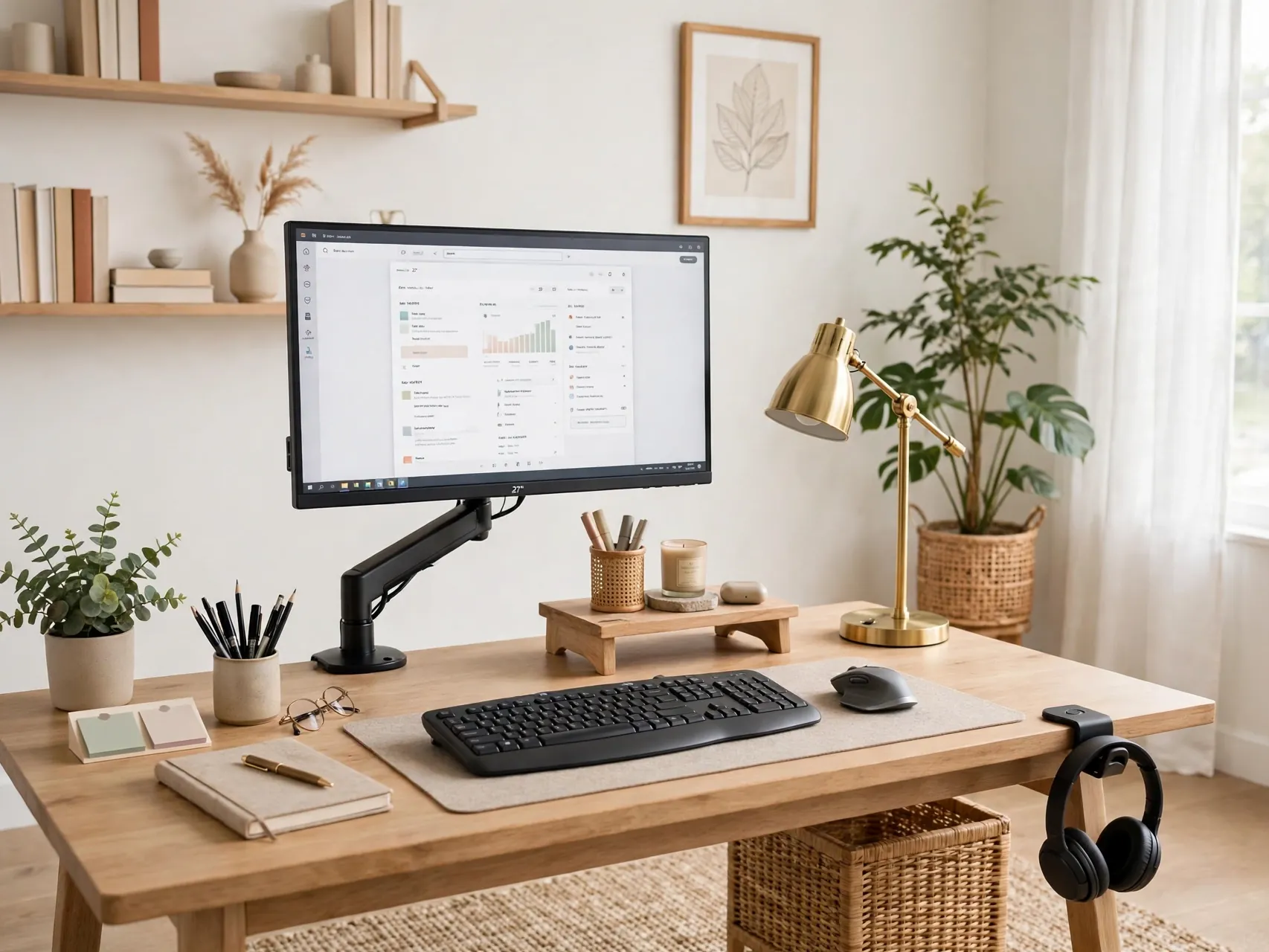
A screen that sits too low pulls your head forward and tires your neck. Raise the monitor so the top of the screen is at or slightly below eye level, about an arm length away. A monitor arm, a sturdy stand, or even a neat stack of hardcover books can get you there.
Laptop users need the same fix even more. Lift the laptop on a stand and add a separate keyboard and mouse at elbow height. Your wrists stay straighter, your shoulders drop, and video calls suddenly frame your face at a far more flattering angle.
4. Add a Sit Stand Option Without Replacing Your Whole Desk

You do not need a full new desk to change position during the day. A desktop converter that raises your screen and keyboard lets you stand for calls or short tasks, then sit again for focused writing. Even standing for part of the day breaks up stiffness.
If a converter is not in the plan, use what you have. Take phone calls standing, place a printer or reference shelf a few steps away, and set a gentle reminder to move every half hour or so. Movement is the real goal, and your setup should make moving easy, not feel like a workout program.
5. Layer Task, Ambient, and Natural Light

One overhead light rarely does a home office justice. Layer your lighting: daylight or a soft ceiling light for the whole room, a focused desk lamp for paperwork, and a warm accent light for evening calls. Place the desk lamp on the opposite side from your writing hand to reduce shadows on the page.
Keep bright light from shining directly on your screen or into your eyes. A lamp with an adjustable arm is worth prioritizing because you can aim light at the work, not at your face. Good lighting reduces eye strain and makes the room feel finished on camera and in person.
6. Hide Cables With a Tray, Clips, and One Surge Protector

A calm desk starts under the desk. Mount a cable tray or basket underneath to hold cords off the floor, guide cables with clips along the desk edge, and plug your computer, monitor, and lamp into one listed surge protector. That surge protector goes directly into a wall outlet, never into another power strip or extension cord.
Daisy-chaining strips can overload the first strip and creates a fire risk, and it can void maker protection. Label each plug so unplugging one device is simple. If you need more outlets than one strip safely provides, ask a licensed electrician about adding a wall outlet instead.
7. Use Vertical Storage With Shelves Above the Desk
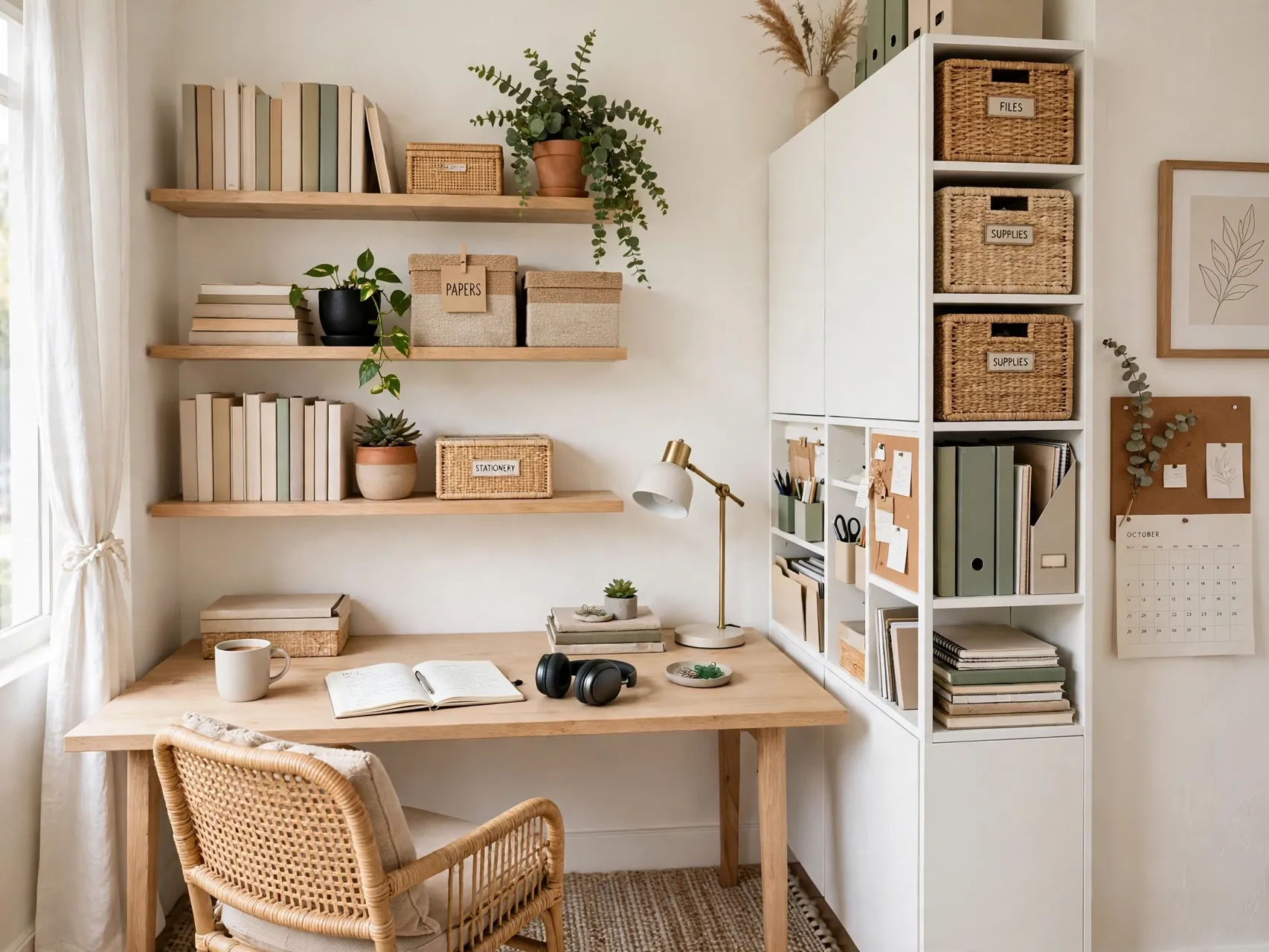
When floor space is tight, the wall above your desk is prime storage. Floating shelves or a simple wall unit hold reference books, a small printer, boxes for supplies, and a plant or two. Fix shelves into studs or use anchors rated for the load, and keep heavy items on the lowest shelf.
Leave the shelf directly at eye level lighter and prettier, since you will see it all day. Match boxes and baskets in one color family so storage reads as decor. Vertical storage keeps the desk surface clear, and a clear surface is the fastest daily productivity upgrade there is.
8. Create Zones for Focus Work, Calls, and Paper
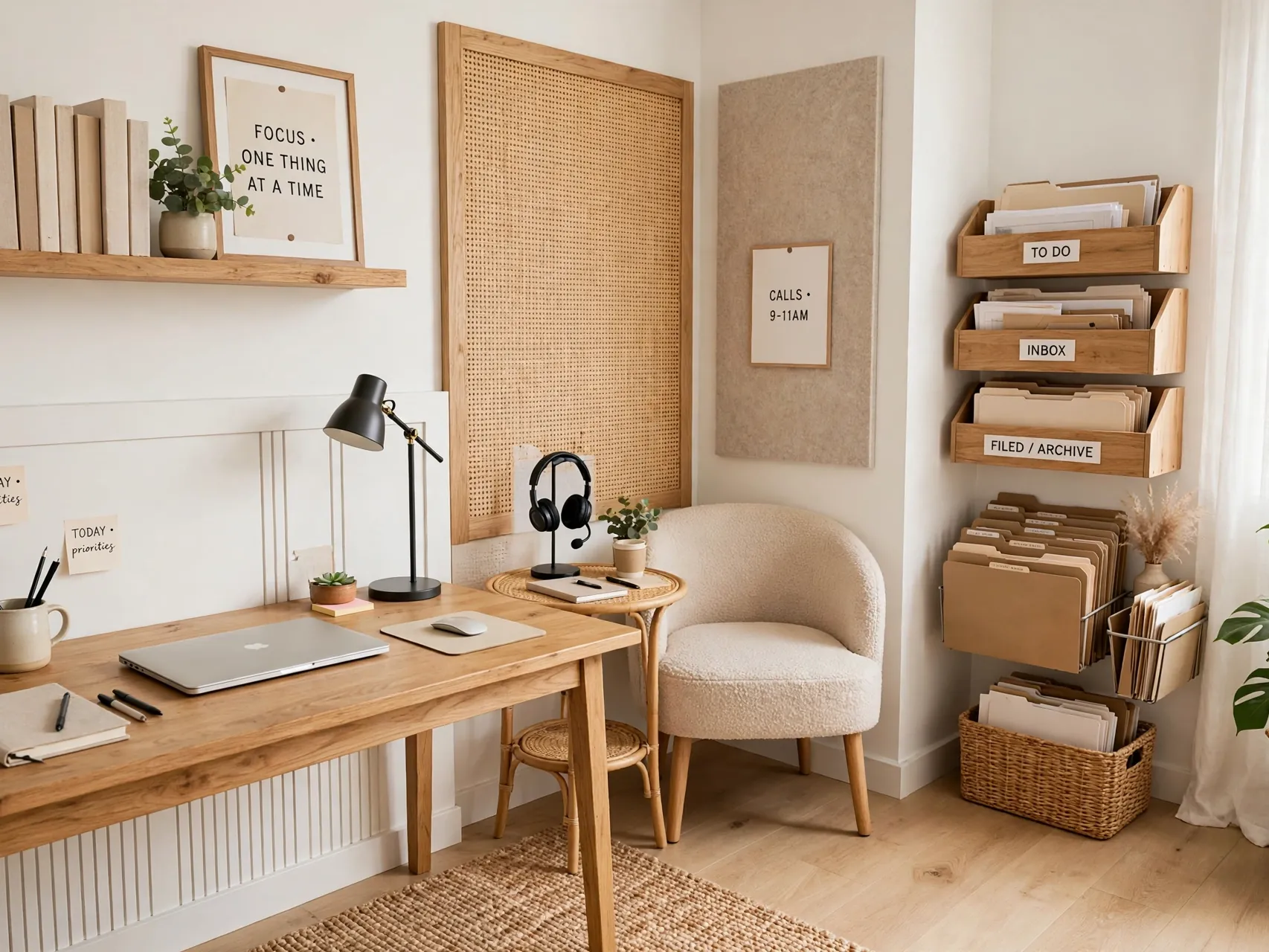
Even a small office works better with simple zones. Your main desk zone holds the screen, keyboard, and today list. A second small surface, a side table or rolling cart, holds paper, mail, and charging devices so they do not creep across your keyboard space.
If you take many calls, keep a plain, tidy backdrop in your call zone and store headphones there. Zoning is really a promise about where things live. When every category has a home, tidying takes two minutes at the end of the day, and tomorrow starts clean instead of cluttered.
9. Pick a Desk Pad to Define Your Work Area
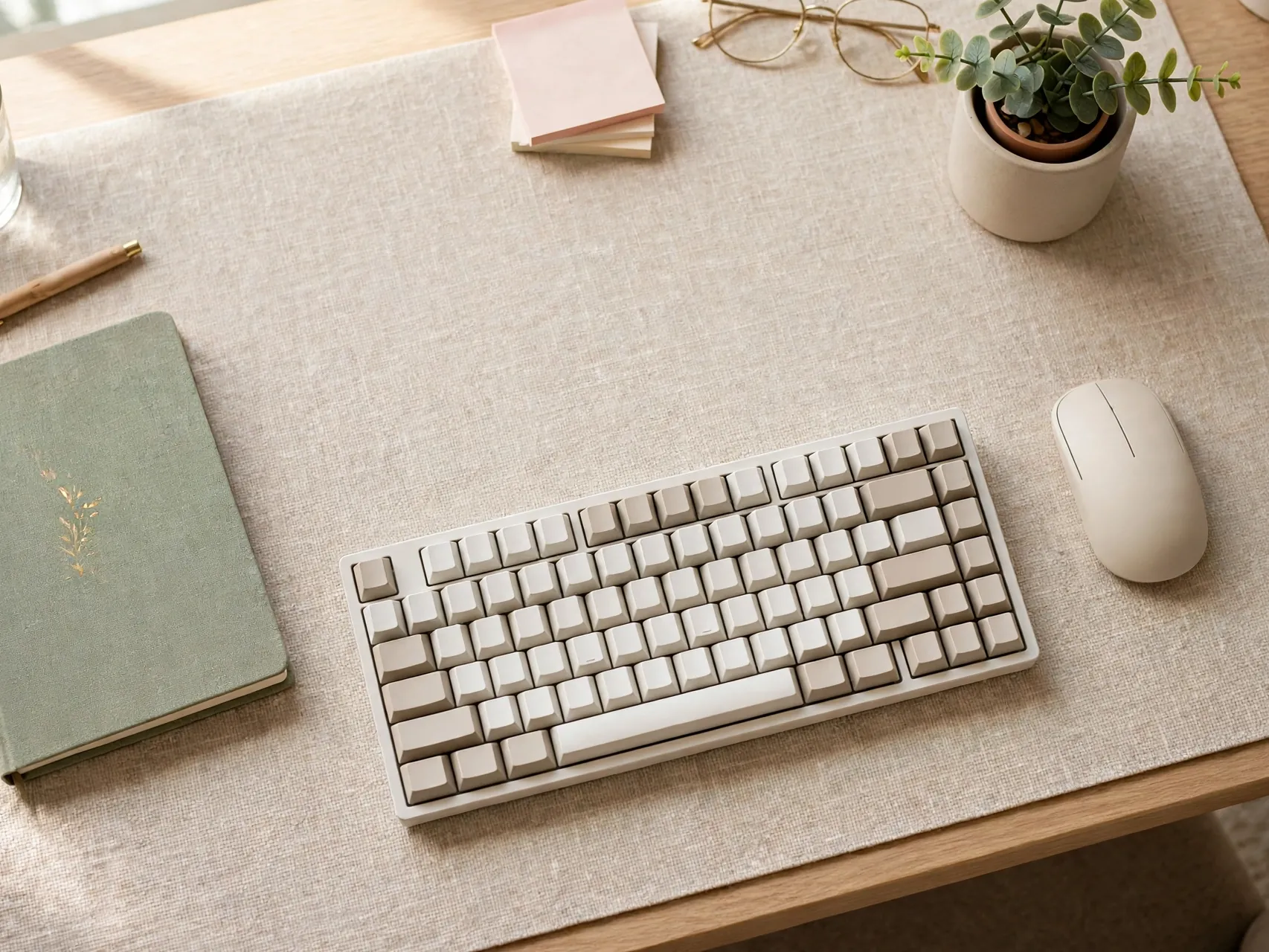
A desk pad does quiet, useful work. It protects the surface, softens keyboard and mouse noise, gives your wrists a comfortable landing, and visually draws a boundary around your main work area. Choose a size that fits keyboard and mouse with room to write beside them.
Colors matter here. A pad in a calm, deep tone can ground a light desk, while a pale pad brightens a dark wood top. Wipeable materials suit coffee drinkers and snack-at-the-desk households. It is a small home office desk setup detail, but it makes a basic desk feel intentional and tailored to you.
10. Add a Rolling Cart for Flexible, Renter Friendly Storage
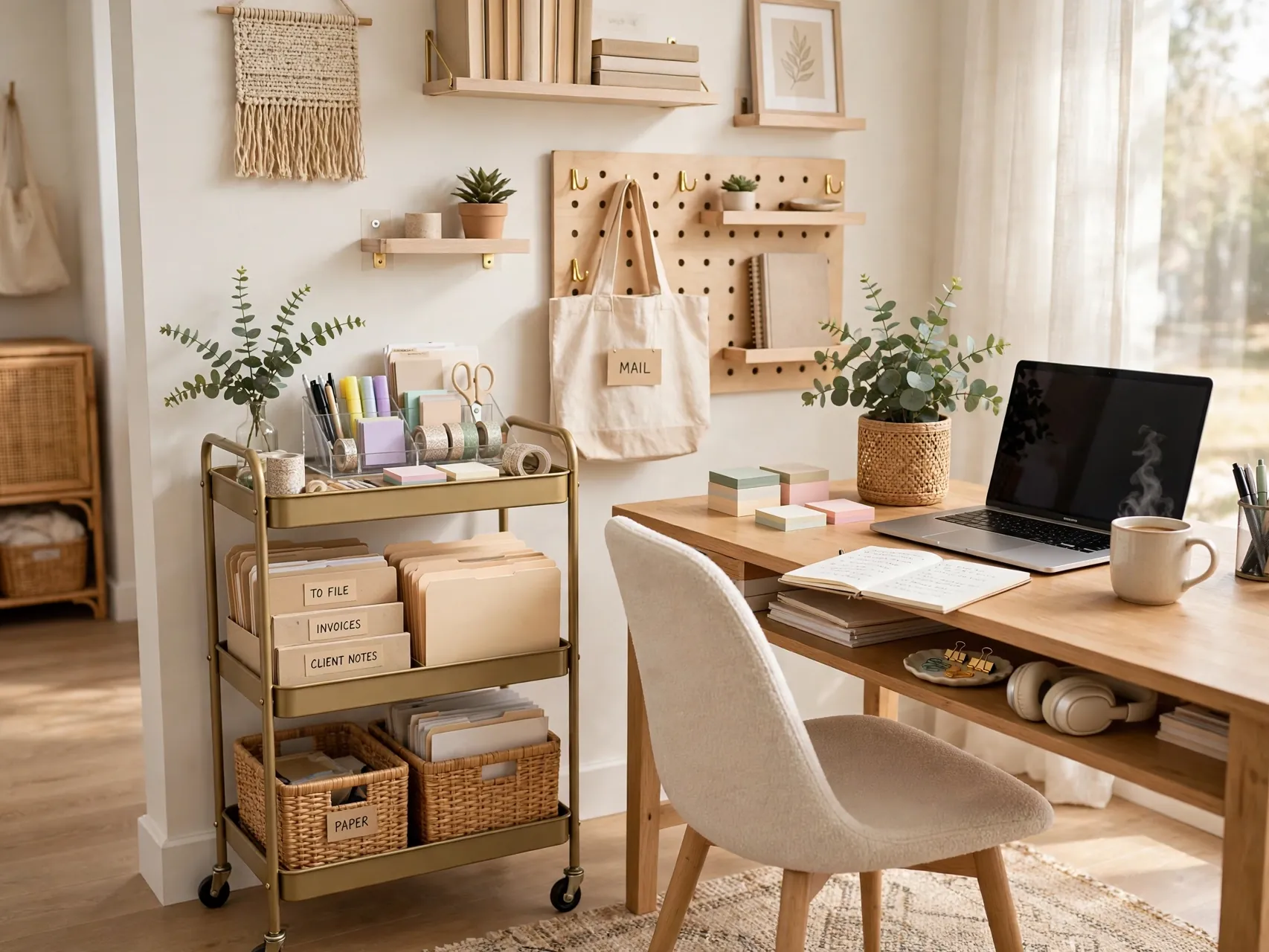
A slim rolling cart is the small-space hero of many productive setups. It holds notebooks, chargers, headphones, and project files, rolls beside your desk during work, and tucks into a closet or corner when guests come. No drilling, no permanent changes, and it moves with you to the next home.
Give each tier one job: daily tools on top, current project in the middle, backup supplies below. Avoid overloading the top tier so the cart stays stable. For shared spaces and dining table offices, a cart like this is the difference between a daily setup battle and a two minute routine.
11. Sound-Soften the Room With Rugs, Curtains, and Soft Pieces

Hard surfaces echo on calls and make a room feel restless. A rug under the desk and chair, curtains at the window, and a few soft pieces like a cushion or upholstered chair absorb sound and warm the whole setup. You will hear the difference on your first video call.
Start with the rug, sized so your chair rolls without catching the edge. Then add curtains hung close to the ceiling for height. If noise from the rest of the home is the bigger problem, a door draft stopper and a pair of headphones for call hours are simple, honest helpers.
12. Bring in Plants at Eye Level for a Calmer Screen Break

Plants give your eyes somewhere soft to rest between tasks. Place one plant where you naturally look up from the screen, on a shelf, a windowsill, or the corner of a wide desk. Choose varieties that suit the light you actually have, and keep pots stable and away from cords and paperwork.
Start with one or two easy plants rather than a full jungle you must maintain. A trailing plant on a high shelf adds life without using desk space. Water on a set day so care stays simple. Greenery is the easiest way to make a productive workspace at home feel human.
13. Build a Video Call Background That Looks Tidy on Purpose

Your background speaks before you do. Aim for a calm wall, a shelf with a few neat objects, or a piece of art hung securely, with light falling on your face from the front or side. Avoid sitting with a bright window directly behind you, which turns you into a silhouette.
Test your framing before an important call. Raise the camera to about eye level, clear anything personal you do not want shared, and keep a small box nearby for last minute clutter. A deliberate background removes daily stress and makes even a tiny corner office look professional.
14. Keep Daily Supplies Within Arm Reach, Archives Further Away
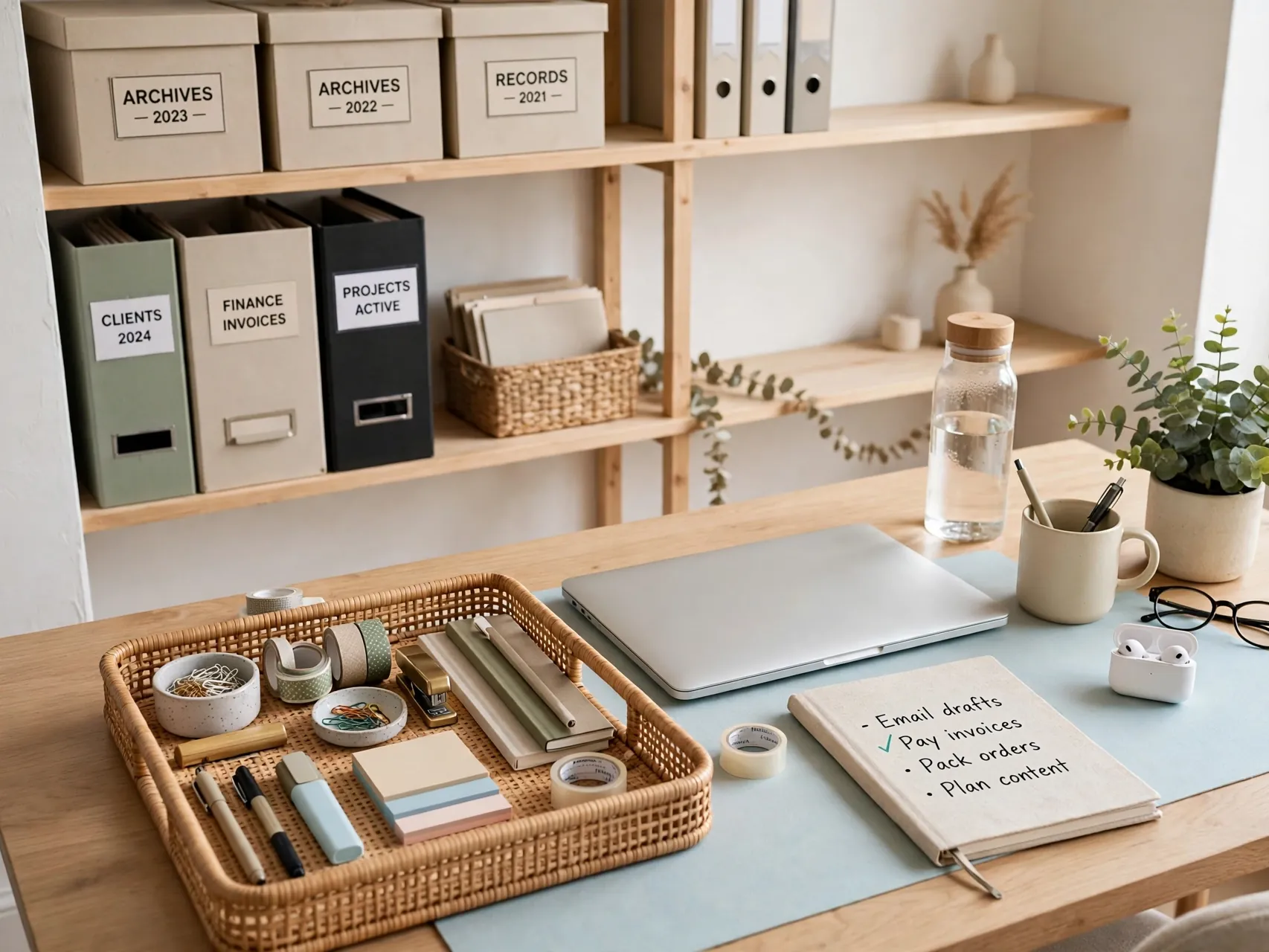
Reaching and hunting break focus. Keep the items you use every hour, pen, notebook, headphones, charger, within arm reach of your chair. Weekly items can live on a shelf. Rarely used papers and backups belong in a closet, cabinet, or storage box outside the main work zone.
Drawer dividers, a small tray, and labeled boxes keep this system honest. Review the desk weekly and evict anything that has not earned its place. This simple reach rule is borrowed from good kitchen design, and it works just as well for an ergonomic home office setup of any size.
15. Use a Pegboard or Wall Grid for Tools You Grab Often
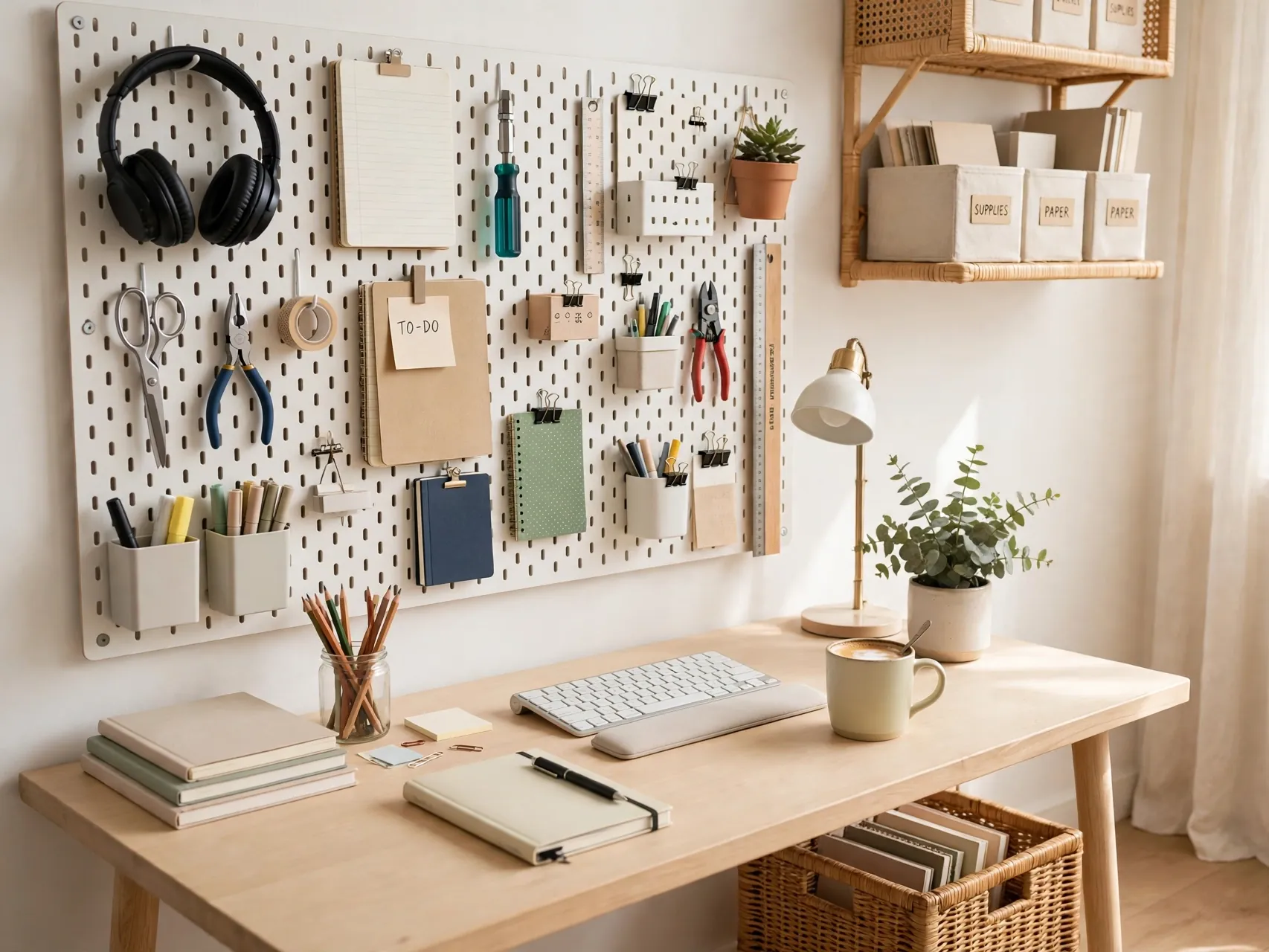
A pegboard or metal wall grid turns the wall beside your desk into grab-and-go storage. Hang headphones, scissors, tape, chargers, and small baskets for notes and mail. Mount it into studs or with rated anchors, and keep heavier items low and secure.
Paint the board to match the wall for a built in look, or choose a warm wood finish for contrast. Leave some hooks empty so the system can flex as projects change. Wall storage like this suits small home office ideas especially well because it adds capacity without touching your limited floor or desk space.
16. Add a Small Reading or Thinking Chair Away From the Screen

Not all work happens at the keyboard. A small armchair or cushioned seat in a corner, with a side table and a lamp, gives you a place to read, review printed pages, or think without a screen in front of you. Changing seats changes your mental gear.
In a tiny room, a folding chair with a good cushion or even a floor cushion corner can play this role. Keep a throw nearby for comfort. The rule is simple: no laptop pile in the thinking chair. Protecting one screen free spot helps your office feel like a room, not just a workstation.
17. Personalize With Art, Photos, and One Color Story
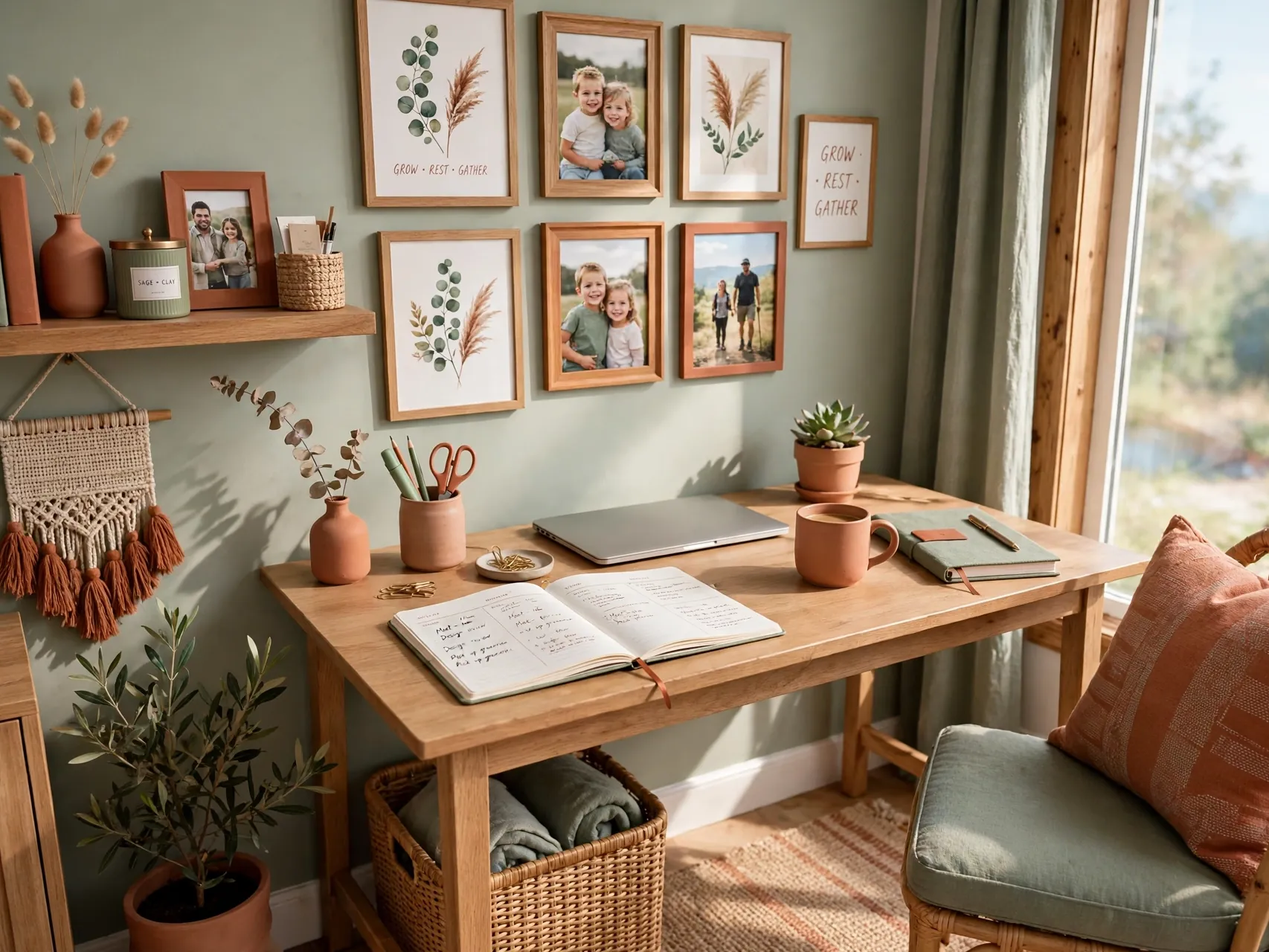
A productive office should still feel like yours. Choose one simple color story, perhaps warm neutrals with one accent color, and repeat it in your desk pad, storage boxes, art, and cushion. Hang art securely at eye level when seated, and keep the collection small enough to feel calm.
Personal photos belong here, just edit them like a stylist. A few favorites in matching frames look intentional, while a crowded dozen compete with your screen for attention. Rotate pieces seasonally if you like variety. Personality, in small doses, is what makes you want to walk in and start.
18. Control Glare and Heat With Simple Window Treatments
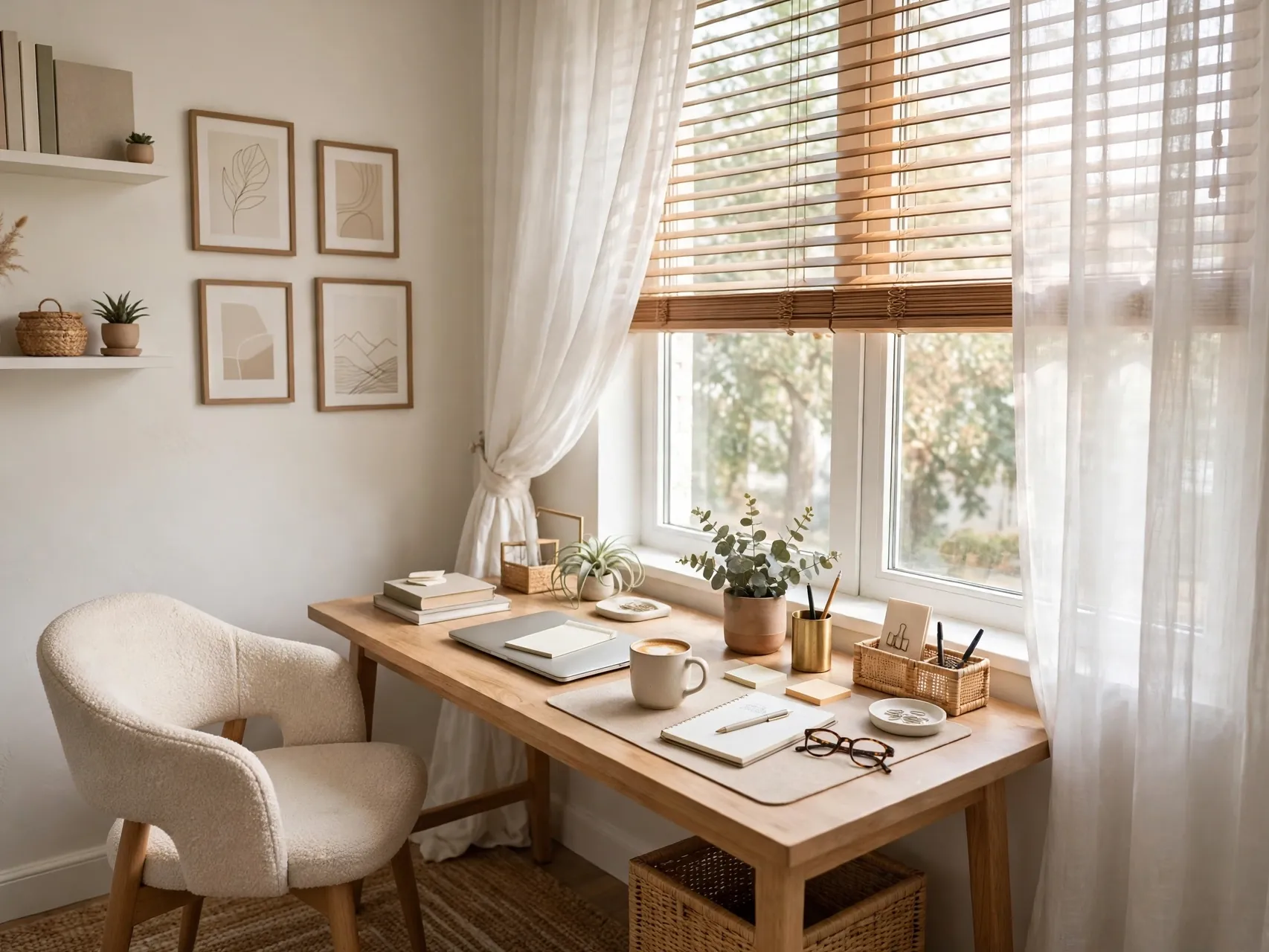
Sunlight is welcome until it overheats the room or blinds your screen. Blinds, shades, or lined curtains let you tune light through the day. A light filtering option suits north facing rooms, while rooms with strong afternoon sun may need a firmer block for call hours.
Keep treatments easy to reach from your chair so you actually adjust them. If heat is the issue, close shades during the hottest hour and open them again later. Comfort is productivity: a room that is too hot, too cold, or too bright will quietly shorten every work session.
19. Set Up a Simple Paper and Mail Routine at the Desk Edge

Paper piles grow because paper has no plan. Place a small inbox tray at the edge of your desk, not the center, for mail and notes that arrive during the day. Sort it at a set time, file what matters in one folder system, recycle the rest, and keep only current work on the desk.
A compact scanner or phone scanning habit helps paper leave the room for good. Keep a small shredder or a shred bag nearby for sensitive pages, positioned safely away from cords and chair wheels. A modest routine, kept daily, beats a heroic monthly cleanout every time.
20. Finish With a Shutdown Ritual and a Reset Surface

End the day by resetting the room. Close tabs, put supplies back in their zones, hang headphones on their hook, and clear the desk to just the essentials. A two minute shutdown ritual tells your brain work is over and makes tomorrow morning feel inviting instead of leftover.
Once a week, wipe surfaces, check cables for wear, and confirm your surge protector sits plugged directly into the wall outlet with cords tidy. Replace damaged cords promptly and keep the area under the desk clear. A safe, calm reset is the habit that holds all the other home office setup ideas together.
FAQ
What is the most important part of a home office setup?
Comfort and fit come first. A supportive chair, a screen raised so the top sits at or slightly below eye level, and a keyboard close enough to keep elbows relaxed will do more for your workday than any decor purchase. Add good light and a clear desk next. Style choices matter, but they work best after your body is properly supported for long hours.
How do I set up a home office in a very small space?
Use a compact desk, vertical shelves, and a rolling cart you can tuck away. Choose a corner with decent light, keep only daily items in the work zone, and store archives elsewhere in the home. A folding or wall mounted desk can work if it is fixed securely and holds your gear safely. Small home office ideas succeed when every item has a home and the surface resets nightly.
How should I plug in my computer and monitor safely?
Plug computer gear into a listed surge protector, and plug that surge protector directly into a wall outlet. Never plug one power strip or surge protector into another, which is called daisy-chaining and can overload the first strip. Keep cords out of walkways, replace damaged cords, and ask a licensed electrician if you need more wall outlets for a growing setup.
How can I reduce eye strain while working from home?
Position your screen about an arm length away with the top at or slightly below eye level, and set it sideways to windows to cut glare. Layer daylight with a desk lamp for paperwork, keep screen brightness comfortable for the room, and look away at something distant during short breaks. If strain continues, an eye care professional can advise on your specific needs.
What should I buy first on a limited budget?
Start with fit: adjust or replace the chair if it hurts, raise the screen with a stand or books, and add a separate keyboard if you use a laptop. Next, add a desk lamp and one storage piece, like a cart or shelf. Decor can come last and cheaply, with art and plants you already own. This order protects your body first and your wallet second.
Key Takeaways
- Fit your body first: Supportive chair, screen top at or slightly below eye level, feet flat, and elbows relaxed for an ergonomic home office setup that lasts all day.
- Power safely, always: One listed surge protector plugged directly into a wall outlet, no daisy-chained power strips, and cords kept clear of walkways.
- Store vertically and by zone: Shelves, pegboards, and carts keep daily tools close and archives away, so the desk surface stays clear.
- Layer your light: Daylight, ambient light, and an adjustable task lamp reduce glare and eye strain through the whole workday.
- Personalize with restraint: One color story, a few framed favorites, and plants at eye level make the room yours without visual noise.
- Love one of these setups for your own work corner? Save this guide to Pinterest and pin the idea you will try this week.